Loading
2026/08/10
Food Photo to Video AI: How to Create Reels and TikToks
A practical food photo to video AI workflow: pick the right shot, judge which motions are safe, use copy-paste prompts, and ship a 15-second vertical Reel that still looks like your food.
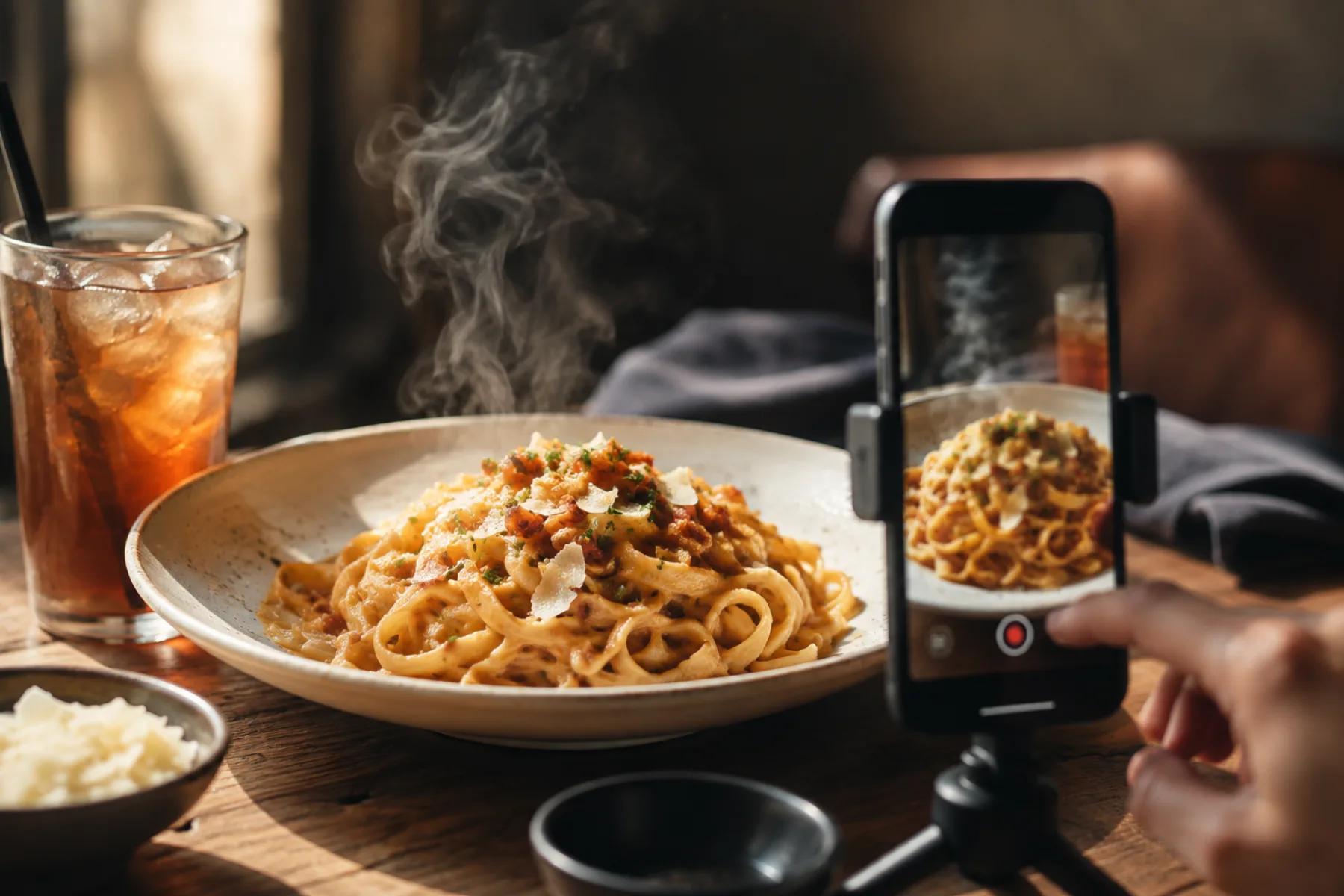
Many restaurants already have a library of food photos that were used once on a menu or social post and then archived. Turning selected stills into short vertical video can reuse that existing work without scheduling another shoot or re-plating a dish.
The catch is that food is one of the hardest subjects for image-to-video models. Food is soft, wet, semi-transparent, and structurally ambiguous. A model that handles a person walking across a room fine will happily turn your burrata into melting wax. So the skill here is not "write a better prompt." It's knowing which motions your photo can survive.
This guide is the working version of that: how to choose and prep the source shot, which motions are safe versus risky, prompts you can paste, and a shot plan for a 15-second Reel you can actually publish.
Choosing the source photo
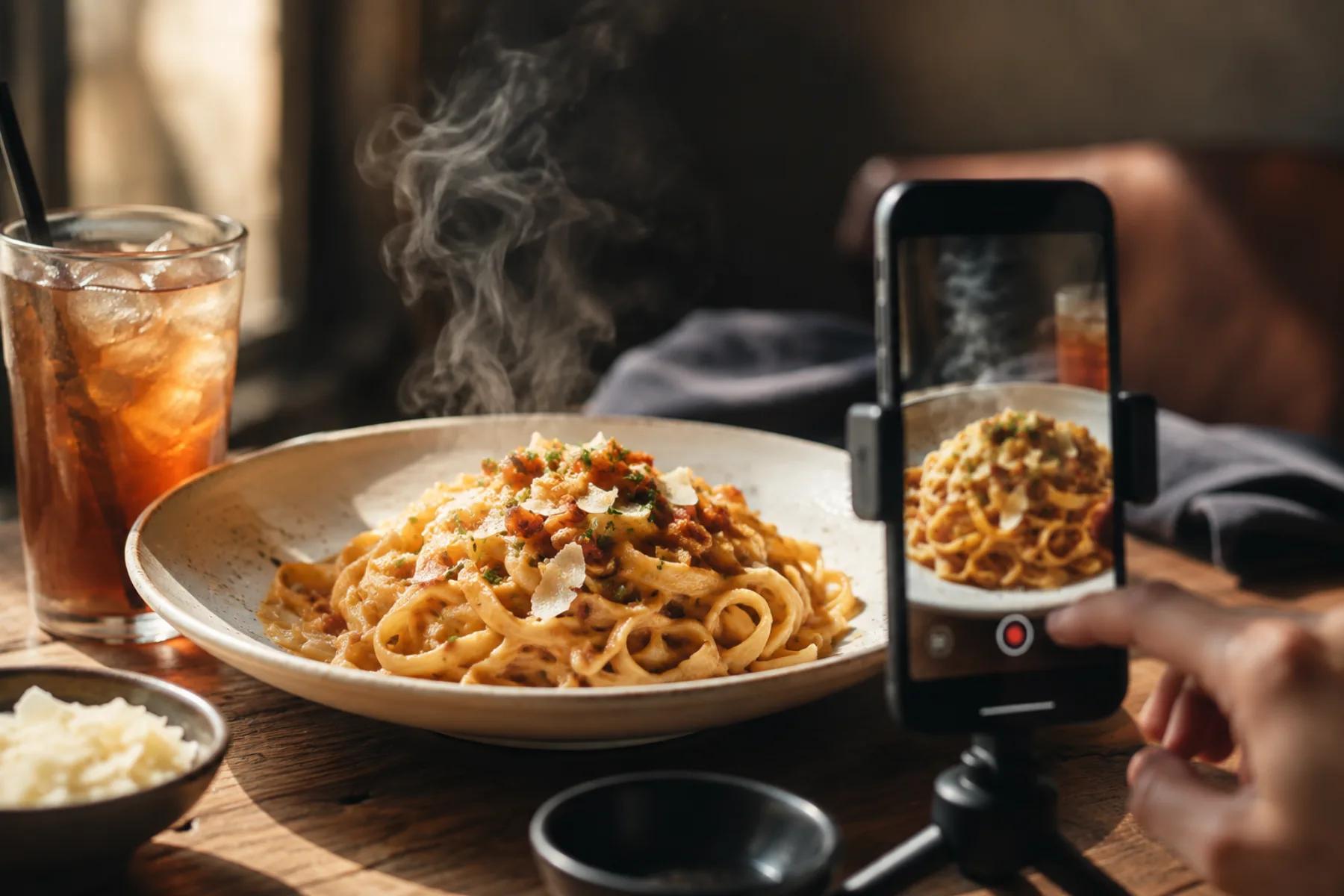
Every problem in the output traces back to the input. Before you upload anything to image to video, run the photo through a short filter.
What makes a strong food source shot
- Clean separation between food and plate. The model needs to know where the dish ends. A dark sauce on a dark plate under dim light gives it weak boundaries and can produce melting-edge output.
- One clear hero. A single dish, cocktail, or slice. Group shots of six plates give the model six things to get wrong simultaneously.
- Sharp texture in the focal area. Crumb, char, sesame seeds, condensation beads, the grain of a steak. Texture is what makes generated motion read as real. Soft-focus food generates soft-focus mush.
- Believable light direction. Side or back light with visible highlights and shadow gives the model depth cues. Flat on-camera flash flattens the dish into a sticker.
- Native vertical, or croppable to vertical. If the interesting part of the frame dies when you crop to 9:16, pick another photo.
What to reject
Reject motion blur, heavy beauty filters, over-sharpened HDR, visible reflections of the photographer, and any shot where a hand or utensil is cut off mid-frame. Also reject photos where the food is already unappetizing — AI motion amplifies whatever is there. A slightly dry-looking chicken becomes a visibly dry-looking chicken once it moves.
Prep before upload
- Crop to your target ratio and leave headroom for captions. Our aspect ratios and safe zones guide covers where platform UI eats your frame.
- Fix exposure and white balance. Warm slightly if the dish is meant to look hot; cool slightly for drinks and desserts.
- Remove distracting clutter — a stray napkin corner, a phone at the edge of the table, a half-drunk water glass.
- Do not sharpen aggressively. Halos around plate rims become geometry errors in motion.
- Keep the logo, if any, large and legible or crop it out entirely. Small logos rarely survive generation.
For a deeper scoring method on source selection, see the best image for image to video guide.
Motion risk: what food can and cannot do
This is the part most tutorials skip. Not all food motion is equally achievable. Below is an honest assessment based on how these motions typically behave in image-to-video generation — plan around it rather than fighting it.
| Motion | Risk | What usually goes wrong | How to work with it |
|---|---|---|---|
| Steam rising | Low | Steam appears from the wrong place, or drifts in a direction that contradicts the light | Specify origin and direction: "thin steam rising from the center of the bowl, drifting up and slightly right." Keep it subtle — heavy steam hides the food |
| Condensation on glass | Low–Medium | Beads slide upward, or the whole glass surface shimmers | Ask for one or two droplets on a named part of the glass, not "condensation running down" everywhere |
| Garnish movement | Medium | Herb leaves duplicate, curl unnaturally, or detach and float | Limit to a single gentle sway on one sprig. Never ask garnish to fall onto the dish |
| Sauce drizzle or pour | Medium–High | Sauce appears from nowhere, flows against gravity, or pools in impossible shapes | Only attempt if the source photo already shows a pour or a spoon mid-motion. Starting from a static plate rarely works |
| Cheese pull | High | Cheese stretches into rubber bands, breaks and reattaches, or fuses with the hand | Best used as the final 1–2 seconds of a clip, generated separately, and only if the source already shows partial separation |
| Liquid pour into glass | High | Liquid level jumps, stream disconnects from the bottle, splash geometry breaks | Use a source photo where the pour is already happening. Keep clips very short and cut on the splash |
| Hand interaction | High | Fingers merge, extra fingers appear, utensil passes through the plate | Frame hands partially out of view, or crop above the wrist. Avoid fingers gripping thin objects like chopsticks |
| Slow camera push / orbit | Low | Plate rim warps at the frame edge, background stretches | Keep the move small and slow. Details in the camera movements guide |
The pattern: ambient motion is safe, transformative motion is risky. Steam, sway, glint, and camera drift are ambient — the food stays the same object. Pours, pulls, and bites are transformative — the model has to invent new matter, and that's where it fails.
If you need a cheese pull or a pour, shoot it. Use AI for the eight surrounding clips.
Copy-paste prompts
Adjust the nouns to match your dish. Keep prompts short and physical — describe what moves, where, and how fast, then stop.
Hot ramen bowl
Thin wisps of steam rise from the center of the broth and drift slowly upward and to the right. The scallions and soft-boiled egg remain completely still. Very slow camera push toward the bowl. No other movement, no change to the food.
Iced coffee or cold drink
A single bead of condensation slides down the front of the glass. The ice cubes stay in place. Faint highlight shifts across the glass surface as the light moves slightly. Static camera. The drink level does not change.
Wood-fired pizza, whole
Gentle heat shimmer rises from the surface of the cheese. One basil leaf sways slightly. Slow orbit to the left around the pizza, no more than fifteen degrees. Crust and toppings stay exactly as they are.
Layered cake slice on a plate
Very slow vertical camera rise from the base of the slice to the top. Soft light sweeps across the frosting, revealing texture. Nothing on the plate moves. No crumbs fall.
Grilled steak, resting
Faint steam rises from the surface of the meat. A subtle glisten moves across the seared crust as light shifts. Slow push in toward the center of the cut. The steak does not change shape and no juices move.
Craft cocktail with garnish
A slow, small clockwise swirl in the surface of the liquid only. The citrus twist garnish sways once, gently. Static camera, shallow depth of field held. Glass, ice, and liquid level remain unchanged.
Fresh salad or grain bowl
Ambient air movement makes the top microgreens sway very slightly. Slow diagonal camera drift across the bowl. Every other ingredient remains fixed. No ingredients move or disappear.
Notice the repeated closing clause in every prompt: an explicit instruction that the food does not change. That negative constraint does more work than any adjective.
A 15-second vertical Reel shot plan
Six clips, mostly short. Generate more than you need and cut ruthlessly.
| Time | Clip | Source | Motion | Purpose |
|---|---|---|---|---|
| 0:00–0:02 | Hero dish, tight | Best single food photo | Slow push, steam | Stop the scroll |
| 0:02–0:04 | Wide table or storefront | Environment shot | Slow drift left | Establish place |
| 0:04–0:07 | Detail macro | Texture close-up | Static, light shift | Make it feel real |
| 0:07–0:10 | Second dish | Complementary item | Small orbit | Show range |
| 0:10–0:13 | Human moment | Server or hands, cropped high | Minimal motion | Add warmth |
| 0:13–0:15 | Hero again + text | Return to opening shot | Push, hold | Name and call to action |
Two rules that matter more than the structure: open on your strongest frame, and never let a clip run past the point where its motion starts looking odd. If a generated clip drifts at 2.5 seconds, use two seconds. Storyboarding across multiple stills is covered in the storyboard from images guide.
Preventing warped plates, hands, and logos
Most food artifacts fall into four buckets, and each has a specific countermeasure.
Plates and glassware
Circular rims are unforgiving — the eye catches an oval instantly. Keep camera moves under a few degrees of rotation, avoid wide-angle source photos where the rim is already distorted, and don't ask for orbits around a plate that fills the frame edge to edge.
Utensils
Thin, rigid, straight objects are the worst case. A fork tine that bends is immediately fake. Either crop utensils out, or place them fully at rest and explicitly state they don't move.
Hands
Hands near food are a double failure risk: the hand itself plus the contact point. Crop at the wrist or forearm, keep the hand still, and avoid any grip on thin handles. If a hand must appear, generate it as a separate clip so a bad result doesn't cost you the food shot.
Logos and text
Printed text on packaging, cups, and menus often drifts during generation. Options, in order of reliability: crop it out, keep it very large and frontal, or overlay the verified logo in your editor after generation. A post-generation overlay is the safest option when exact reproduction matters.
Unrealistic food changes
Watch for portions growing, ingredients appearing or vanishing, sauce spreading, and color shifting toward oversaturated orange. Review at full size, not on a phone thumbnail. When something breaks, the artifact troubleshooting guide walks through diagnosis and fixes.
Editing, audio, and captions
Cut on motion. Every transition should land while something is moving. Cuts on static frames feel like a slideshow.
Keep clips shorter than the stable motion lasts. Review the output frame by frame and trim as soon as the food, plate, or camera begins to drift. A two-second stable section is more useful than a longer clip with a visible artifact.
Grade for appetite. Slight warmth and contrast lift on hot food; slight cool and clarity on drinks and desserts. Do not push saturation — oversaturated food reads as fake, and AI output is already prone to color drift.
Audio drives retention. Trending audio for reach, ambient kitchen sound for craft-focused brands. If you use ambient sound, make sure it matches what's on screen — sizzle over a cold salad breaks the illusion.
Captions carry the message. Assume sound-off viewing. Put your one key line in the first two seconds, keep text inside the safe zone, and include the dish name and your location. Location text is what turns views into visits for a single-site restaurant.
Accuracy and disclosure
This part is not optional, and it's mostly common sense.
Generated video invents detail. If the AI adds toppings you don't serve, changes the portion size, or renders a garnish you don't use, that video is now advertising a dish you don't sell. Fix it or don't post it. The test is simple: would a customer who ordered this dish recognize what they saw in the video?
Beyond that:
- Don't use AI motion to imply a preparation method you don't use — hand-pulled, flame-grilled, made-to-order.
- Be careful with anything that could read as an allergen or dietary claim. If the model adds something that looks like nuts or cheese to a dish marketed as free of them, that's a real problem.
- Check your own market's advertising and food labeling rules, and consider a brief note that footage includes AI-generated elements when the motion is prominent. Many creators do this in the caption as a matter of course.
- Platform policies on synthetic media change. Check the current rules for each platform yourself before you build a posting schedule around AI content.
None of this is legal advice — it's the practical version. When in doubt, use a real clip of the dish.
Export and QA checklist
Before publishing:
- Vertical 9:16, full resolution export, no upscaling of a low-res source
- Every clip reviewed at full size for warped rims, hands, and utensils
- No text or logo distortion; overlays added post-generation
- Food matches what you actually serve — portion, ingredients, presentation
- Color grade consistent across all clips
- Captions inside the safe zone, readable on a small screen
- Audio levels checked, and the video still works muted
- Location, dish name, and call to action present
- Disclosure handled if AI motion is prominent
- Watched once at normal speed on a phone, start to finish, without pausing
That last check catches more than any frame-by-frame review. If you flinch at something on a normal-speed phone watch, your audience will too.
Start with one dish
Don't try to convert your whole photo library. Take your single best food photo, generate three variations with steam or a slow push, and post the one that looks right. You'll learn more about which of your photos work from that one attempt than from any amount of planning.
Then repeat weekly. Ten dishes, ten clips, and you have a month of vertical content out of photos you already paid for. Start with image to video.
Author

Categories
Choosing the source photoWhat makes a strong food source shotWhat to rejectPrep before uploadMotion risk: what food can and cannot doCopy-paste promptsA 15-second vertical Reel shot planPreventing warped plates, hands, and logosPlates and glasswareUtensilsHandsLogos and textUnrealistic food changesEditing, audio, and captionsAccuracy and disclosureExport and QA checklistStart with one dish
More Posts

Travel Photo to Video AI: A Practical Workflow for Reels
Turn travel photos into polished AI videos with practical advice on source images, motion prompts, aspect ratios, editing, sound, and quality checks.
Ecommerce product video ads: a testing workflow from one product photo
A repeatable testing workflow for ecommerce product video ads — turn one product photo into a shot matrix, prompt angles, naming system, and QA checklist you can iterate on weekly.
5 free AI video generators compared (2026)
We tested the top 5 free AI video generators side by side. Here's what worked, what didn't, and which ones are worth your time.
Newsletter
Join the community
Subscribe to our newsletter for the latest news and updates