Loading
2026/08/03
The Best Image for Image to Video AI: A Source Photo Selection Guide
Learn how to pick the best image for image to video AI with a weighted 100-point scorecard, prep workflow, subject-specific advice, motion prompts, and troubleshooting.
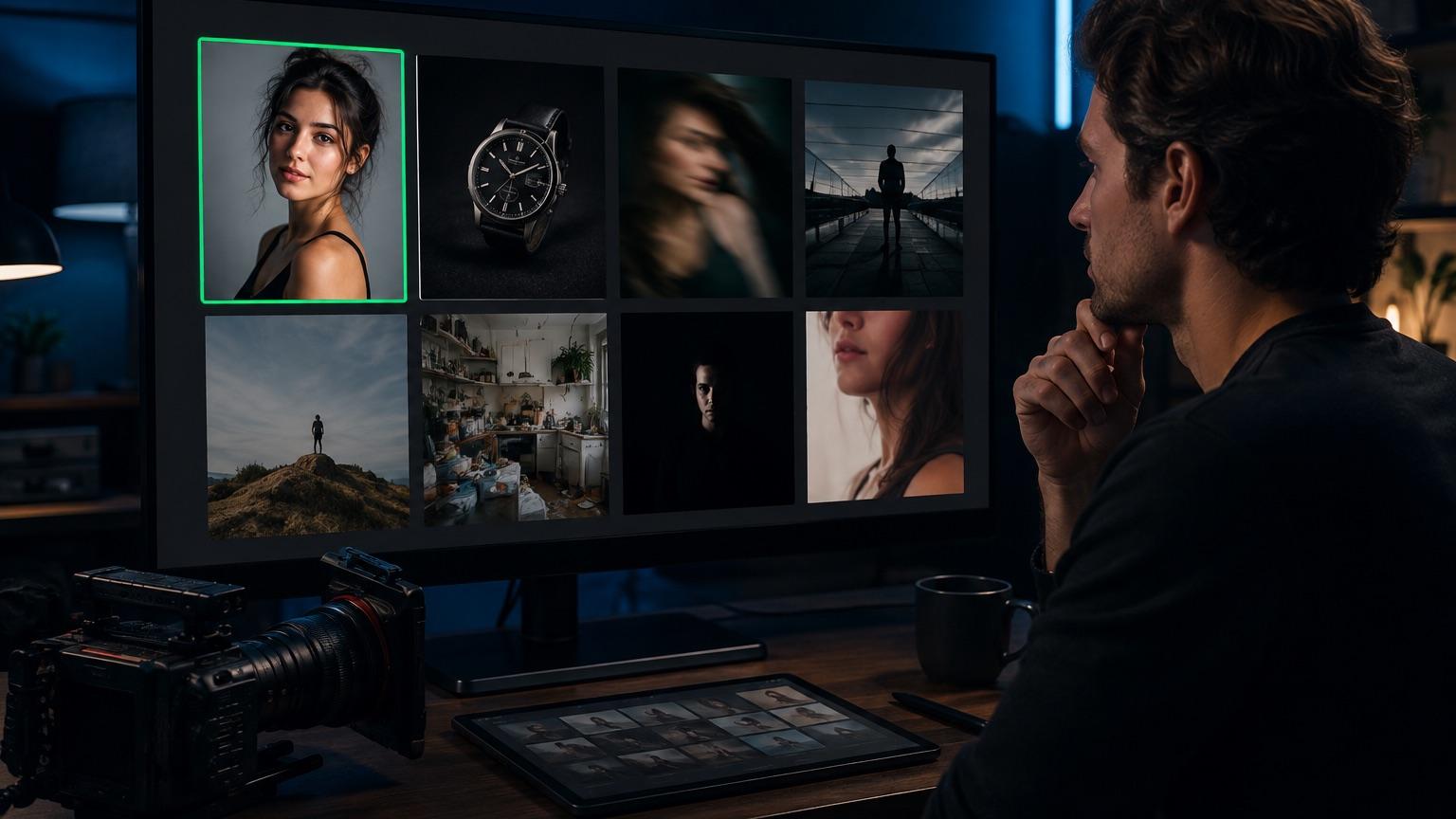
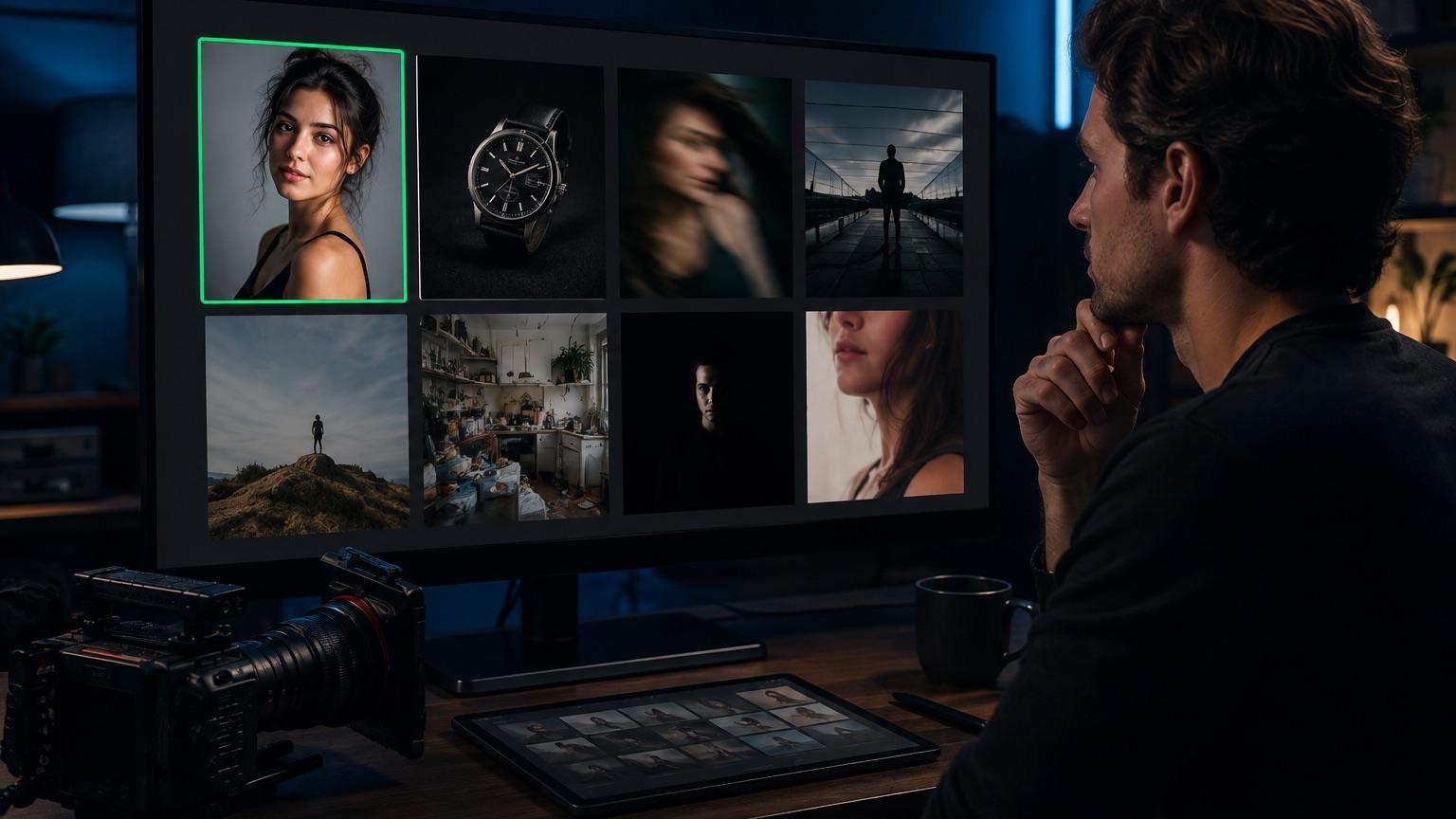
Most disappointing AI video results are decided before you ever click generate. The model does not fix your source photo — it interprets it, then invents motion consistent with whatever it thinks it sees. If the geometry is ambiguous, the motion will be ambiguous. If the subject's hands are a blurry smudge, the smudge will move.
So the practical question is not "which settings should I use" but "is this image a good candidate at all." This guide gives you a way to answer that in about sixty seconds.
Why the source image matters more than the prompt
An image-to-video model receives a single frame and has to hallucinate everything that comes after it. To do that, it needs to build an internal guess about the scene: what is foreground, what is background, where surfaces end, which edges belong to the same object, how light falls.
Every part of your photo that is unclear becomes a place where the model has to guess. Guesses are where artifacts live — melting fingers, logos that rewrite themselves, hair that fuses with the wall behind it, product edges that breathe.
This leads to the single most misunderstood point about source images:
High resolution cannot rescue blur or ambiguous geometry. A 4000-pixel-wide photo of a motion-blurred hand is still a photo of a motion-blurred hand. Upscaling adds pixels, not information. If the original capture did not record a clean edge, no amount of resolution gives the model an edge to track. The same applies to ambiguity: two overlapping arms that read as one shape, a mirror that could be a doorway, a reflection that could be a second person. Resolution is a floor requirement, not a fix.
One more caveat before the scorecard: exact input requirements vary by model and platform. Accepted file types, maximum dimensions, minimum dimensions, aspect ratio handling, and file size caps differ between models, and they change over time. Always check the requirements shown in the tool you are actually using — including on our image-to-video page — rather than assuming a number you read in an article stays true.
If you are brand new to the workflow itself, start with how to turn a photo into a video with AI and come back here when you want to get pickier about inputs.
The 100-point source image scorecard
This is a heuristic, not a guarantee. It is a way of forcing yourself to look at the parts of a photo that actually predict animation trouble, instead of judging by whether the photo looks nice. A high-scoring image can still produce a bad clip, and an odd low-scoring image sometimes animates beautifully. Use it to triage a batch of candidates and to diagnose why a specific image keeps failing.
Score each row, then total. Weights sum to 100.
| # | Criterion | Weight | What full marks looks like | Common point losses |
|---|---|---|---|---|
| 1 | Subject sharpness | 20 | Primary subject is crisply in focus; edges are clean at 100% zoom | Motion blur, missed focus, heavy noise reduction smearing detail |
| 2 | Geometric clarity | 15 | Every limb, edge, and object boundary is unambiguous and separable | Overlapping limbs, occluded hands, subject fused with background |
| 3 | Subject–background separation | 12 | Clear tonal or color contrast at the subject outline | Dark hair on dark wall, white product on white surface |
| 4 | Lighting quality | 10 | Directional, consistent light; shadows describe form | Flat on-camera flash, mixed color temperatures, blown highlights |
| 5 | Composition headroom | 10 | Space around the subject for the camera or subject to move into | Subject cropped tight to all four edges |
| 6 | Resolution and compression | 8 | Meets your platform's requirements with clean, low-artifact pixels | Heavy JPEG blocking, screenshots of screenshots, aggressive upscaling |
| 7 | Scene simplicity | 8 | One clear subject, manageable number of secondary elements | Crowds, dense patterns, busy retail shelving |
| 8 | Text and fine detail load | 7 | Little or no small text, thin type, or intricate logos | Packaging copy, price tags, watch faces, jewelry filigree |
| 9 | Perspective coherence | 6 | Believable single vanishing point and consistent scale | Composites with mismatched perspective, warped wide-angle edges |
| 10 | Motion plausibility | 4 | The still already implies where movement could go | Subject in a physically impossible or fully static pose |
| Total | 100 |
How to read your score
- 85–100 — Strong candidate. Move on to a conservative motion test.
- 70–84 — Workable. Address the largest deduction and keep motion modest.
- 55–69 — Risky. Fix what you can in preparation, or compare it with a cleaner source.
- Below 55 — Prefer a different image when one is available; too much of the scene is left for the model to guess.
Notice how the weights are distributed. Sharpness and geometric clarity together are 35 points, because they cause the failures that no prompt can undo. Text and fine detail carry only 7 points but punch above their weight for ecommerce work — small type is the single most reliable way to get a clip you cannot ship.
A practical preparation workflow
Work in this order. Each step is cheap and each one removes a category of problem.
1. Pick from a batch, not from memory
If you shot fifty frames, review them at 100% zoom with the scorecard in mind. The frame you remember liking is often not the sharpest one. For phone photos, check whether burst mode captured a cleaner alternative a fraction of a second earlier.
2. Crop for motion, not for the still
This is the step people skip. A beautifully tight portrait crop leaves the model nowhere to go. If you want a slow push in, the subject needs room at the edges. If you want the subject to turn, they need space on the side they will turn toward.
Crop wider than feels natural for a photograph when your delivery resolution allows it. You can tighten the video afterward in editing, but the model cannot reliably reconstruct space that the source never showed.
3. Simplify what you can control
Remove distracting objects near the subject outline. A stray cable crossing an arm, a chair leg intersecting a shoulder, a second face half-visible at the frame edge — each is a place the model can get confused. If retouching them out is a two-minute job, do it.
4. Fix separation before you fix beauty
If your subject's outline blends into the background, that matters more than color grading. Options: brighten or darken the background slightly, add a subtle vignette, or re-crop to place the subject against a cleaner area. Even a small contrast increase along the outline helps.
5. Leave grading conservative
Heavy grades, strong film emulations, and crushed blacks reduce the information available in shadows. Models often read crushed shadow areas as flat surfaces and animate them as such. Keep some detail in the dark areas and grade the finished video instead.
6. Export sensibly
Export at high quality with minimal recompression, sized within your platform's stated limits. Do not upscale a small image and hope. Do not screenshot a photo to resize it. If the file has been through several rounds of social media compression, find the original.
7. Decide your motion intent before generating
Write one sentence describing the movement you want, in plain language, before you touch the prompt field. "Slow push toward her face while she blinks" is a plan. "Cinematic movement" is not. If you want a grounding in what kinds of camera moves are worth asking for, our camera movements guide covers the vocabulary.
Subject-specific guidance
The scorecard applies to everything, but where the points usually leak depends on what you are animating.
People and portraits
Faces and hands are where viewers look, and they are where models struggle most. Priorities:
- Hands visible and separated, or not visible at all. Two hands clasped, fingers interlocked, or a hand partly behind the body are all high-risk. A hand resting flat on a surface, clearly outlined, is low-risk. So is a crop that excludes hands entirely.
- Eyes open and in focus. Half-closed eyes tend to animate into unsettling territory. Sharp, open eyes give the model a stable anchor.
- Hair against a contrasting background. Fine hair detail against a busy or tonally similar background is a classic source of fused, smearing edges.
- Head not cropped at the top. Models generally handle a full head better than a partial one when generating any vertical movement.
- Glasses, jewelry, and patterned fabric are cost centers. Each adds fine detail the model must maintain frame to frame. Simple clothing animates more reliably than intricate texture.
For groups, every additional face adds another identity and more possible occlusions to review. Keep motion conservative and inspect each person throughout the clip.
Products and ecommerce
The failure mode here is different: the clip looks fine but the product is subtly wrong, which makes it unusable regardless of how nice the motion is.
- Text is the main enemy. Packaging copy, ingredient lists, model numbers, and small logos routinely deform. If the product's identity depends on legible text, either shoot an angle where the text is large and frontal, or plan a motion so small that the text barely changes, or animate a text-free angle.
- Reflective and transparent surfaces are hard. Glass bottles, chrome, glossy black plastic, and clear packaging generate reflections the model must invent as the view changes. Matte finishes are far more forgiving.
- Keep the product isolated. A single product on a clean surface with visible contact shadow is the strongest input. Cluttered flat-lays produce objects that swap shapes.
- Preserve the silhouette. If the product's outline is the recognizable thing — a distinctive bottle shape, a shoe profile — check the silhouette holds through the whole clip, not just the first frame.
- Subtle motion sells better anyway. A slow orbit or gentle push looks premium. Aggressive movement looks like a mistake.
Our product photo to AI video workflow goes deeper on shooting and sequencing for commerce use.
Landscapes, interiors, and scenes
These are often the easiest wins, because there are no faces or logos to police.
- Depth layers help enormously. A clear foreground, middle ground, and background give parallax something to work with. A flat wall of trees gives it nothing.
- Natural motion candidates make prompts easy. Water, clouds, smoke, foliage, fabric, fire — anything that plausibly moves on its own animates convincingly with minimal instruction.
- Watch architectural lines. Straight edges that bend during camera movement read as broken immediately. Buildings, doorframes, and tiled floors are unforgiving. Slower moves keep lines honest.
- Reflections in water and windows may not behave. They often drift independently of what they reflect. Frame to minimize them if that would bother you.
- Avoid dense repeating patterns. Gravel, brickwork, and leaf canopies can shimmer or crawl under motion.
Copy-ready motion prompts
These are starting points, written to match the subject types above. Adjust the specifics to your image. Keep one movement idea per prompt — stacking three camera moves into one instruction is the fastest way to get mush.
Portrait, minimal motion:
Slow, steady push in toward the subject's face. She blinks naturally
once and her expression softens slightly. Hair moves faintly. Camera
movement is smooth and continuous. Background stays still. No other
motion.
Portrait, subject-driven:
The subject turns her head slowly to her left and looks toward the
light. Shoulders stay relaxed. Camera holds a fixed position. Natural,
unhurried timing.Product, orbit:
Slow horizontal orbit around the bottle, moving left to right by a
small amount. The product stays centered, sharp, and unchanged. Label
remains flat and legible. Lighting and reflections shift gently with
the camera. Background stays clean and static.Product, reveal:
Very slow push toward the product from slightly above. Soft shadow
under the product stays anchored to the surface. No rotation, no
deformation, no change to the product shape or labeling.Landscape, parallax:
Slow forward dolly through the scene. Foreground elements pass the
frame faster than the distant hills, creating natural depth parallax.
Clouds drift slowly. Grass moves in a light breeze. Horizon stays
level.Interior, static camera:
Camera remains locked off. Curtains move slightly in a breeze and
dust drifts through the shaft of light. Everything else in the room
stays completely still. Straight architectural lines remain straight.Water and atmosphere:
Gentle, continuous water movement with small realistic ripples.
Steam rises slowly. Camera holds still. No sudden changes in
direction or speed. Reflections follow the water surface naturally.A general note on wording: describing what should not move can be as useful as describing what should. Naming the still elements gives the model a clearer stability constraint without making the prompt much longer.
Troubleshooting: symptom to likely cause
| What you see | Most likely source-image cause | What to change |
|---|---|---|
| Hands or fingers deform | Occluded, overlapping, or blurred hands in the input | Re-crop to exclude hands, or choose a frame with hands clearly separated |
| Face identity drifts | Soft focus on the face, or a partially turned head | Pick a sharper, more frontal frame; reduce motion amount |
| Subject edges smear into background | Poor subject–background separation | Increase outline contrast, re-crop against a cleaner area |
| Product label becomes gibberish | Small or angled text in the input | Shoot text larger and frontal, or animate a text-free angle with minimal motion |
| Straight lines bend | Architectural geometry plus a large camera move | Reduce movement scale; keep the camera locked or nearly so |
| Textures shimmer or crawl | Dense repeating patterns | Re-crop away from the pattern, or slow the motion |
| Nothing meaningfully moves | Static composition with no motion cue, or an over-cautious prompt | Choose an image with implied movement; name one specific motion in the prompt |
| Clip feels cheap despite a good image | Too much motion for the subject | Reduce the motion and test a slow push before attempting a fast orbit |
| Background objects appear or vanish | Cluttered scene with ambiguous overlaps | Simplify the scene, or crop tighter around the subject |
If artifacts persist after you have fixed the input, the problem may be downstream of image selection. Our artifact troubleshooting guide walks through those cases in more detail.
Before-upload checklist
Run this immediately before you generate. It takes under a minute.
- Viewed the image at 100% zoom and confirmed the subject is genuinely sharp
- Every limb, edge, and object boundary is unambiguous
- Subject outline separates clearly from the background
- Lighting is directional and consistent, with detail retained in shadows
- There is headroom in the direction I want motion to go
- File meets the requirements shown in the tool I am using
- No unnecessary small text or intricate logos in frame
- Scene is as simple as I can reasonably make it
- No aggressive upscaling, screenshots, or heavily recompressed files
- I can state my intended motion in one plain sentence
- My prompt names both what moves and what stays still
FAQ
What makes the best image for image to video AI?
A sharp, well-lit photo with one clear subject, unambiguous edges, good separation from the background, and room around the subject for movement. Sharpness and geometric clarity matter most, because they are the two things no prompt or setting can repair after the fact.
Does a higher resolution image always produce better video?
No. Resolution needs to meet the requirements of the tool you are using, and beyond that it helps only if the extra pixels contain real detail. A large but blurry image performs worse than a smaller, sharp one. Upscaling a soft photo adds pixels without adding the information the model needs.
Should I use a portrait or landscape source image?
Match the orientation to where the video will be published, and check what the tool you are using does with aspect ratios — behavior differs between models. Cropping a landscape photo to vertical is fine as long as you keep enough headroom for your intended motion.
Can I use an AI-generated image as the source?
Often yes, and generated images can score well because they tend to have clean lighting and simple compositions. Apply the same scorecard. Watch particularly for hands, small text, and perspective inconsistencies — generated images sometimes contain geometry that looks plausible at a glance but has no coherent 3D interpretation, and those areas animate badly.
Why do my product videos look fine but the label is wrong?
Small text is one of the hardest things for image-to-video models to keep stable, because the model regenerates that detail on every frame. Shoot the text larger and more frontal, choose a much smaller amount of motion, or animate an angle where the text is not the identifying feature.
How many attempts should I expect?
That depends on your image, your subject, the model, and your standards, so a fixed number would be misleading. A high score only indicates that the source presents fewer obvious ambiguities; it does not predict how many generations you will need. Compare inputs before spending many attempts on one weak candidate.
Is the scorecard a guarantee of results?
No. It is a practical heuristic built around the failure modes that show up most often. It is useful for triaging a batch of candidates and for diagnosing a persistent problem. Treat a high score as "worth generating," not as "this will work."
The habit worth building is small: before you upload anything, look at the image once with the question "where would a model have to guess?" Fix the biggest guess. That one pass, repeated, will improve your output more than any prompt trick.
When you have a candidate that clears the checklist, take it to the image-to-video tool and start with the smallest motion that tells your story.
作者

分类
Why the source image matters more than the promptThe 100-point source image scorecardHow to read your scoreA practical preparation workflow1. Pick from a batch, not from memory2. Crop for motion, not for the still3. Simplify what you can control4. Fix separation before you fix beauty5. Leave grading conservative6. Export sensibly7. Decide your motion intent before generatingSubject-specific guidancePeople and portraitsProducts and ecommerceLandscapes, interiors, and scenesCopy-ready motion promptsTroubleshooting: symptom to likely causeBefore-upload checklistFAQWhat makes the best image for image to video AI?Does a higher resolution image always produce better video?Should I use a portrait or landscape source image?Can I use an AI-generated image as the source?Why do my product videos look fine but the label is wrong?How many attempts should I expect?Is the scorecard a guarantee of results?
更多文章

Turn a product photo into a video ad with AI (2026 guide)
Turn any product image into a video ad with AI. Step-by-step on prompts, model selection, aspect ratios, and tips for ecommerce and social media.
Best free apps to animate & restore old photos in 2026
Practical guide to free online apps for animating, restoring, and colorizing old photos — and turning them into video. No signup required to start.
AI image to video: Kling vs Runway vs Hailuo vs Veo (2026)
Honest 2026 comparison of Kling 3, Runway Gen-4, Hailuo 02, Google Veo, and Seedance — all tested on the same images to show real differences.
邮件列表
加入我们的社区
订阅邮件列表,及时获取最新消息和更新