Loading
2026/08/24
Fashion Photo to Video AI: Lookbooks, Reels & Product Pages
Turn fashion photos into usable motion clips with source-image checks, garment-safe prompts, aspect-ratio planning, frame QA, and batch production tips.
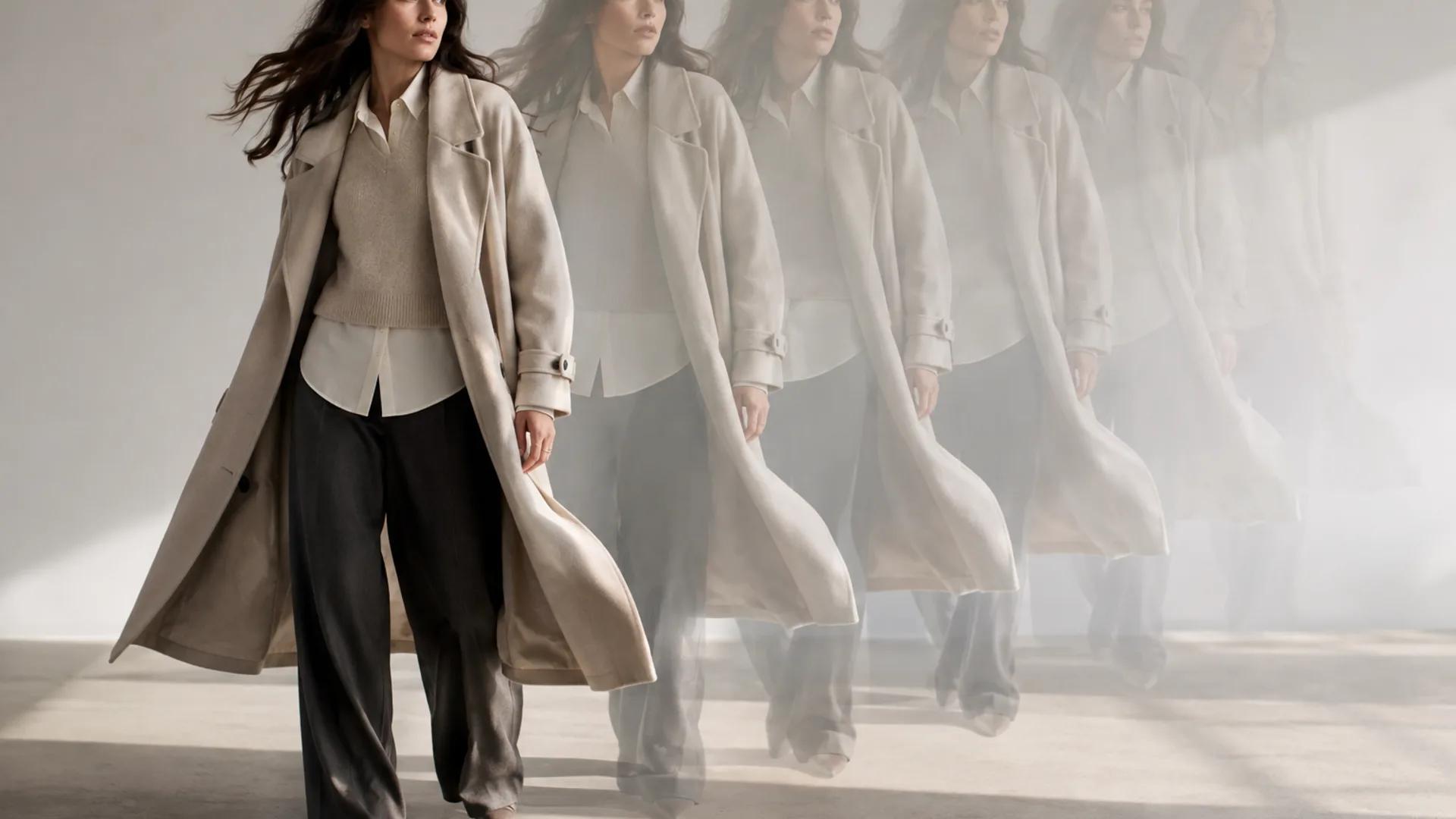
Frozen product photos still do the heavy lifting in fashion ecommerce, but the feed is moving. Short-form Reels, social loops, and homepage hero clips reward anything that breathes, drapes, or catches light. Fashion photo to video AI lets a brand turn existing stills into short motion clips without immediately arranging another shoot. The practical skill is knowing which photos animate well, how to budget motion so fabric reads instead of melting, and how to QA frames before anything ships.
This is a workflow, not a magic button. Generative video is probabilistic, and it can alter faces, hands, seams, buttons, prints, logos, and garment proportions. You cannot assume a model will preserve your product. Below is a complete pipeline with prompt templates you can copy and adapt, followed by what breaks, why it breaks, and how to catch it cheaply.
Why fashion is a hard case for image-to-video
Clothing is not a grass field or a rain cloud. It is structured geometry: a collar that must hold its shape, a placket with specific button spacing, and a neckline that either sits correctly or looks wrong. Shoppers notice deviations on garments they are considering buying. A shirt whose print shifts between frames is not stylized motion; it is an inaccurate representation of the product.
That means your mindset has to be preservation-first. You are asking the model to move fabric, hair, or pose while keeping the garment's identity anchored to the reference. Any prompt that invites the model to reimagine the styling can produce an outfit you do not sell.
Runway's official Image-to-Video Prompting Guide explains that the input image establishes composition, subject matter, lighting, and style, so the text prompt should focus on motion. Google's image-to-video best practices similarly recommend using a high-quality source and prompting for camera, subject, and environmental motion rather than redundantly describing the whole image. The tools differ, but the discipline is the same: give the model a clean anchor image and a motion budget it can attempt without inventing unnecessary detail.
Step 1: Choose source photos that animate well
Motion amplifies what is already in the frame. Pick source images that give the model clear visual evidence and a plausible path for movement.
Use clean, sharp, single-subject stills. One model, one coherent look, and a background that does not compete with the garment. Leave margin around the body so a small movement or crop has somewhere to go.
Choose framing for the shot you need. Full-body frames work for a weight shift, slow walk, or garment sway. For textile details, use a genuine close-up rather than a heavily enlarged crop of a wide shot.
Make construction details readable. Seams, prints, buttons, hardware, and hem lines should be sharp enough to compare before and after generation. A compressed or already soft photo gives the model less reliable information.
Avoid ambiguous mid-motion stills. If a dress is halfway through a spin in the source, the model has to guess the direction, timing, and final pose.
Match motion to the garment. Flowing dresses, scarves, wide sleeves, and loose hair can support gentle environmental motion. Structured tailoring, stiff denim, and fitted garments usually need smaller subject motion. Asking a blazer to flow like chiffon makes the material look wrong even when the clip is technically smooth.
For a reusable scoring checklist, start with the best image for image-to-video guide.
Step 2: Set a motion budget
Motion budget is the decision that most directly affects whether a fashion clip remains usable. Ask three questions per shot:
- What moves? Model, garment, hair, or background. Pick one or two main drivers.
- How much? A gentle sway asks the model to invent less than a 180-degree spin. Larger deformations create more opportunities for seams and prints to drift.
- What must stay fixed? Write down the product details you will compare during QA, then state the most important constraints in the prompt.
A conservative motion budget often reads as more premium and is easier to review. You can test a more energetic variation later; start with the version most likely to preserve the garment.
Step 3: Structure prompts around motion and preservation
A practical prompt has four parts:
- Subject anchor: Refer to the subject or garment visible in the source instead of redescribing a new outfit.
- Motion instruction: Name one concrete, bounded action.
- Camera behavior: Choose one slow move or lock the camera.
- Preservation constraints: Name the two or three product details that matter most.
For example:
The model shifts weight gently from one foot to the other. The coat hem moves slightly and the loose hair responds to a soft studio breeze. Locked camera with a very slow push in. Preserve the coat silhouette, lapels, buttons, seams, and neutral color. No new accessories or changes to the outfit.
Avoid stacking unrelated requests such as a body turn, fabric spin, hair gust, orbiting camera, and lighting transition in one short clip. Each added channel creates another place for identity or product detail to drift.
The AI image-to-video prompt library provides more motion vocabulary, while the AI video storyboard playbook helps turn individual clips into a coherent sequence.
Copy-ready prompt templates
Adapt the bracketed details to the actual source photo. Treat these as starting points rather than guarantees.
Full-body lookbook
The model in the reference image shifts weight gently from one foot to the other. The [fabric or hem] sways softly and settles naturally. Locked camera with a very slow push in. Preserve the exact garment color, silhouette, seams, buttons, hem length, and accessories. No change of outfit, no added objects, restrained elegant motion.
Close-up textile detail
Macro view of the garment in the source image. The [silk, knit, denim, or other material] moves slightly as soft light travels across the surface. Camera remains still. Preserve the exact weave, print placement, stitching, edge, and color. Minimal motion, tactile and realistic, no new folds or decorations.
Studio ecommerce clip
The model turns a few degrees toward the camera and then holds. The garment follows with subtle natural fabric motion. Plain studio background, stable lighting, locked camera. Preserve the exact neckline, fit, button spacing, sleeve length, print, and product color. Clean and restrained, no restyling.
Editorial street style
The model takes one slow step forward. The coat hem and hair respond naturally to the movement. Fixed camera with a subtle documentary feel. Preserve the original face, outfit silhouette, check pattern, footwear, and accessories. No new people, vehicles, signs, or wardrobe changes.
Plan aspect ratios before generation
Choose the destination before you generate. Creating one wide clip and hoping every vertical crop works can cut off the very feature you need to sell.
- 9:16: Reels, Shorts, and other vertical placements. Keep the face, neckline, print, and footwear away from interface-heavy edges.
- 4:5: Feed placements and on-model product storytelling. It often preserves more of a full silhouette while still using mobile screen space well.
- 16:9: Website heroes, campaign pages, and presentation screens. It gives the environment more room, but the garment may appear smaller.
Leave crop headroom around the body and preview the moving subject inside its real destination. The AI video aspect-ratio and safe-zone guide explains a platform-resilient workflow without relying on interface measurements that may change.
Step 4: Generate a small batch
Do not process an entire collection before learning how the chosen model treats one look. Use a small-batch loop:
- Select two or three strong photos of one item: a full-body view, a closer construction view, and an optional campaign frame.
- Generate two or three restrained motion variations for each source.
- Reject obvious product drift before clips reach a wider review group.
- Compare the survivors against the source at full size.
- Record the source, prompt, model, settings, and reason for acceptance or rejection.
- Reuse the strongest recipe for similar garments, then test again when the material or silhouette changes.
Model availability, clip duration, resolution, aspect-ratio controls, audio options, and credit costs vary by provider and can change. Confirm the current controls and displayed cost in the live image-to-video workspace before submitting a batch.
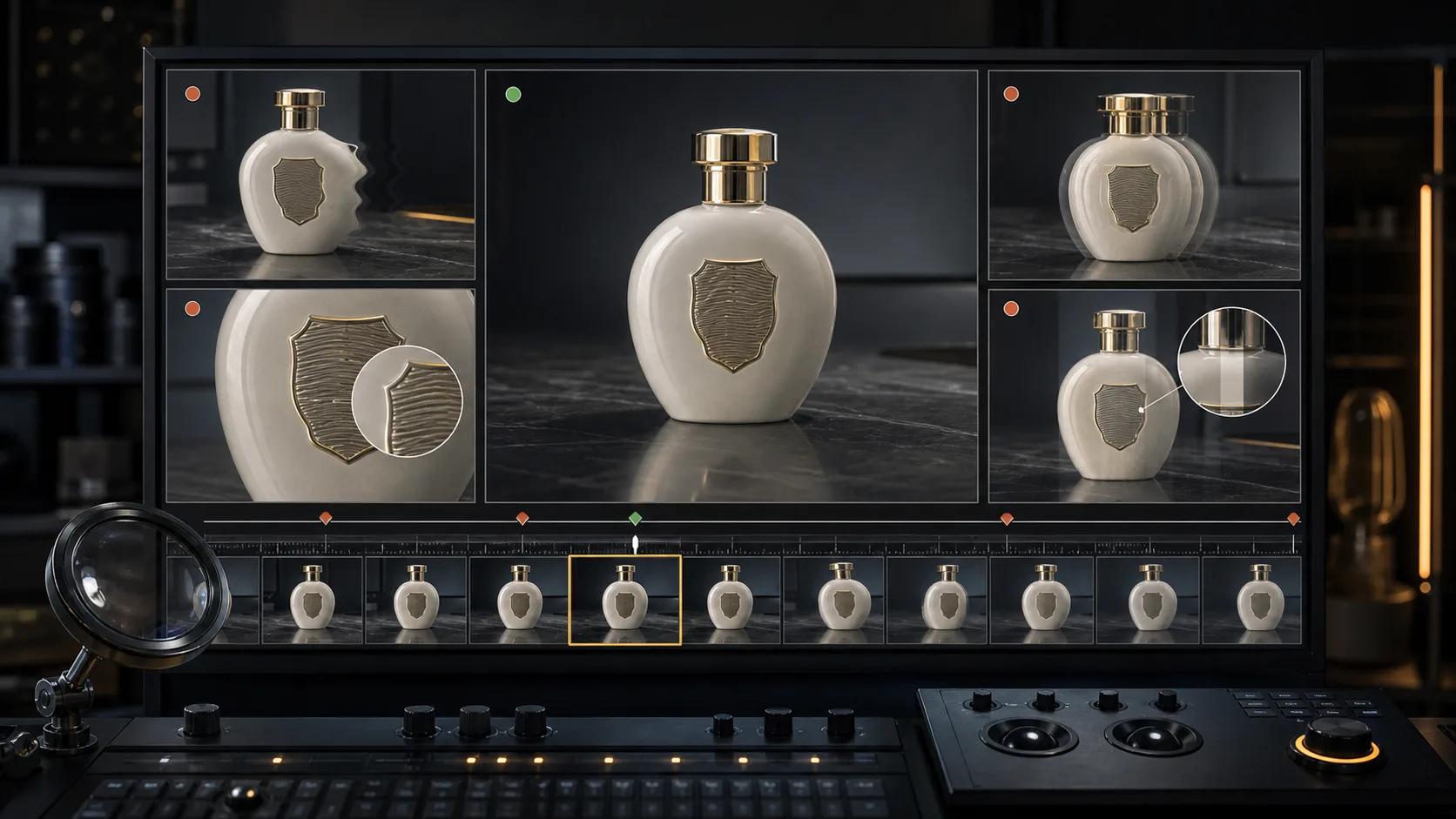
Frame-by-frame QA: check the product, not only the mood
A clip can feel beautiful and still be unusable for selling the actual garment. Put the source image beside the result, scrub the full clip, and pause at the first frame, quarter points, and final frame.
Check these areas every time:
- Face and hands: Look for identity drift, asymmetric eyes, fused fingers, or hands entering from nowhere.
- Seams and silhouette: Compare shoulder lines, waist, side seams, darts, and hem shape.
- Buttons, zippers, and hardware: Count them and check their spacing and attachment points.
- Prints and patterns: Watch whether motifs slide, stretch, rotate, or change scale.
- Proportions: Compare sleeve length, hem length, neckline, and overall fit.
- Accessories: Confirm earrings, belts, bags, and shoes do not duplicate or disappear.
- Background edges: Check that racks, walls, floors, and shadows do not bend around the subject.
If the clip fails, diagnose the failure before spending another generation. The AI video artifact troubleshooting guide helps decide whether to repair the source, simplify the prompt, reduce motion, regenerate, or fix a limited issue in editing.
When logos and product text must be exact
Do not rely on generative frames to reproduce small logos, labels, slogans, or repeated print exactly. If the mark is legally or commercially important, keep the generated motion restrained and plan a post-production solution using the original brand asset.
A flat overlay is straightforward when the mark stays on a stable plane. A logo on bending fabric may require planar tracking, mesh tracking, rotoscoping, or a conventional product shoot; it is not automatically a quick fix. When accurate construction or fit is the core sales claim, use the real product video as the source of truth and treat the generated clip as campaign or concept media.
Common failures and practical fixes
Seams ripple or melt
The motion budget is probably too high for the garment structure. Reduce the body turn, shorten the clip, or lock the camera so the model solves fewer changes at once.
A print shifts between frames
The model is treating the print as a flexible texture. Name the print placement as a preservation constraint, reduce fabric deformation, and reject the result if the product no longer matches the source.
Hair or fabric flickers
Too many fine moving strands or folds can become temporally unstable. Simplify the requested motion and choose a source with clearer edges between hair, garment, and background.
The outfit is redesigned
The prompt may be describing a fashion concept rather than motion. Remove style changes and re-center the instruction on what moves while keeping the reference outfit unchanged.
The face or hands fail
Reduce pose change, use a clearer source, or choose a crop that does not make an unstable hand the focal point. Never hide a failed hand behind fast editing when the clip will appear on a product page.
A practical batch plan
For a small brand preparing a lookbook and a week of social assets:
- Choose three looks, not the full collection.
- Prepare one full-body and one detail source for each look.
- Test two restrained prompts per source.
- Run product-accuracy QA before selecting clips for editing.
- Create destination-specific crops only from approved masters.
- Measure which placement actually needs motion, then expand the workflow to the next group of garments.
This keeps the learning batch small enough to review carefully and prevents a single bad recipe from spreading across a whole collection.
FAQ
Can fashion photo to video AI replace a real video shoot?
It can add short campaign motion or test creative directions from existing stills, but it should not replace real footage when exact construction, fit, movement, or product claims matter. Generated clips and real product video serve different jobs.
What is the best source for clothing photo to video?
Use a sharp, well-lit, single-subject image with readable garment details, clear separation from the background, and enough room for the intended motion and final crop.
Why does the outfit change between frames?
The model generates each moment probabilistically and may reinterpret details as the subject moves. Smaller motion, clearer source evidence, explicit constraints, and stricter QA reduce risk but do not guarantee fidelity.
Which aspect ratio should I use?
Start with the real destination: 9:16 for vertical placements, 4:5 for feed-focused on-model content, and 16:9 for wide website or presentation use. Preview the clip with the destination's overlays before delivery.
How do I guarantee a logo stays exact?
You cannot guarantee it through generation alone. Use the original brand asset in post-production when tracking is practical, or capture the real garment when a deforming surface makes exact replacement unreliable.
Start with one look, not the whole line
Fashion photo to video AI is most useful as a controlled production workflow: strong source photos, conservative motion, preservation-focused prompts, and product-level QA. Start with one representative look, learn what the current model preserves and where it drifts, and save the settings and review notes. Once one clip survives a source-by-source comparison, you have a recipe worth testing on the next garment—not a reason to automate the whole collection unchecked.
Author
Categories
Why fashion is a hard case for image-to-videoStep 1: Choose source photos that animate wellStep 2: Set a motion budgetStep 3: Structure prompts around motion and preservationCopy-ready prompt templatesFull-body lookbookClose-up textile detailStudio ecommerce clipEditorial street stylePlan aspect ratios before generationStep 4: Generate a small batchFrame-by-frame QA: check the product, not only the moodWhen logos and product text must be exactCommon failures and practical fixesSeams ripple or meltA print shifts between framesHair or fabric flickersThe outfit is redesignedThe face or hands failA practical batch planFAQCan fashion photo to video AI replace a real video shoot?What is the best source for clothing photo to video?Why does the outfit change between frames?Which aspect ratio should I use?How do I guarantee a logo stays exact?Start with one look, not the whole line
More Posts

7 Best Deep Nostalgia Alternatives in 2026 (Free + Paid)
MyHeritage shut down? Here are 7 tools to animate old photos in 2026 — ranked by quality, price, and privacy. Free options included, no signup to start.
Comment transformer une photo en vidéo TikTok avec l'IA (guide étape par étape 2026)
Transformez une seule photo en clip vertical 9:16 pour TikTok ou Reels avec l'IA. Vrai tutoriel en captures d'écran dans l'espace de travail ImageToVideoAI, avec prompts et conseils de publication.
AI video artifact troubleshooting: diagnose, fix, or regenerate
A practical decision guide for fixing face drift, object deformation, unwanted camera motion, flicker, broken text, and other image-to-video artifacts.
Newsletter
Join the community
Subscribe to our newsletter for the latest news and updates