Repair
Fix what the model needs to see
Clearer eyes, faces, and edges help animation models avoid odd motion or identity drift.
First subscription · First month 35% off / first year 25% off
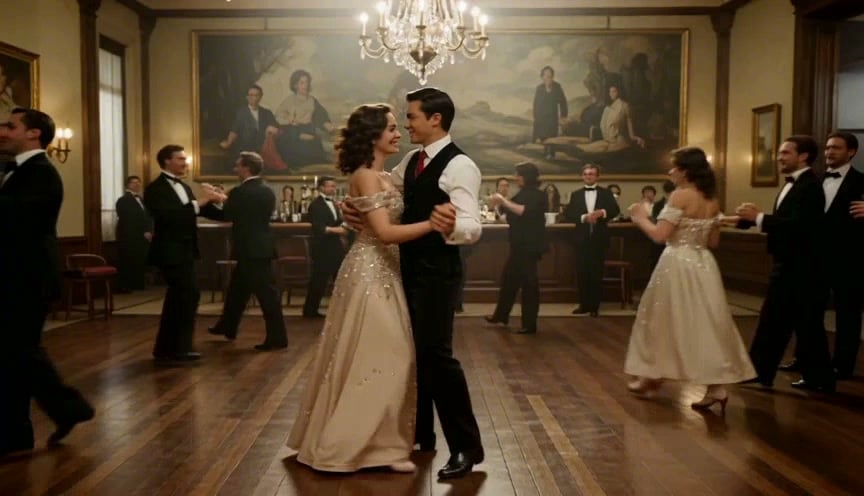
Damaged old photos can still become strong living portraits, but restoration should come before motion when scratches, blur, or fading hide the subject.
Repair-first old photo animation
Back to Animate Old PhotosPrompt example
Restored old portrait, clean facial detail, natural breathing, soft eye movement, slow push-in.
Repair
Clearer eyes, faces, and edges help animation models avoid odd motion or identity drift.
Motion
For low-resolution scans, smaller facial movement is safer than dance, speech, or big camera changes.
Search intent guide
The restore-and-animate page should help users triage damaged images before they spend credits on motion. It is a repair-first workflow, not a generic animation page.
Not every old photo needs the same preparation. The page should help users decide what to fix first.
The still image is the source of truth for every video frame, so repair quality controls animation quality.
Damaged family photos often work best with less animation, not more.
Repaired portrait
Restored old portrait, clean facial detail, natural breathing, soft eye movement, slow push-in.
Use after scratches, dust, or fading have been reduced.
Low-resolution scan
Low-resolution family scan, minimal movement, gentle blink, preserve facial features, steady background.
Best when the photo is improved but still not very sharp.
Fragile original
Respectful old photo animation, tiny smile, calm eyes, no head turn, warm light, original texture preserved.
Use when the historical or emotional value matters more than strong movement.
Explore Related Scenarios
Choose the path that matches what you need now: restore first, colorize first, or compare tools.
Repair-first old photo animation
Current PageRestore and Animate Old Photos
Restore and animate old photos by cleaning scratches, noise, and fading before generating natural AI video motion.
You are hereAnimate Old Photos Online with AI
Animate Old Photos Online with AI
Animate old photos online with AI. Upload a vintage image, add natural motion, and generate with credits purchased after sign-in.
View scenarioHonest sign-in workflow
Animate Old Photos Online with AI
Animate old photos online. No credit card is required to create an account. Sign in to generate, and the credit cost is shown before you submit.
View scenarioBrowser app for desktop and mobile
Animate Old Photos App
Use a browser-based app to animate old photos on desktop or mobile. Upload old pictures, choose AI motion, and export videos.
View scenarioAI motion for living portraits
Animate Old Photos with AI
Animate old photos with AI using natural smiles, blinks, breathing, and camera motion while preserving the original subject.
View scenarioConvert old pictures into living video
Old Photo to Video AI
Convert an old photo or old pictures to AI video. Sign in to generate and create natural living portraits. Credit cost is shown before you submit.
View scenarioComparison-first old photo animation
Deep Nostalgia Alternative for Old Photos
Compare ImageToVideoAI with Deep Nostalgia, MyHeritage, and Vidnoz for old photo animation, model choice, privacy, and exports.
View scenarioChoose the right old photo animation app
Best App to Animate Old Photos
Compare app-style workflows for animating old photos, including ImageToVideoAI, Fotor, VEED, and other browser tools.
View scenarioA practical buyer guide
Best AI to Animate Old Photos
Find the best AI to animate old photos with practical criteria: model choice, realism, price, privacy, mobile use, and exports.
View scenarioFor black-and-white and faded memories
Colorize and Animate Old Photos
Colorize and animate old photos by improving faded black-and-white images, then creating natural AI motion from the result.
View scenarioRestore and Animate Old Photos — FAQs
Create AI videos from photos and prompts, compare models, and generate using your available credits.